Description
Navigate, inspect and document your Blueprint logic.
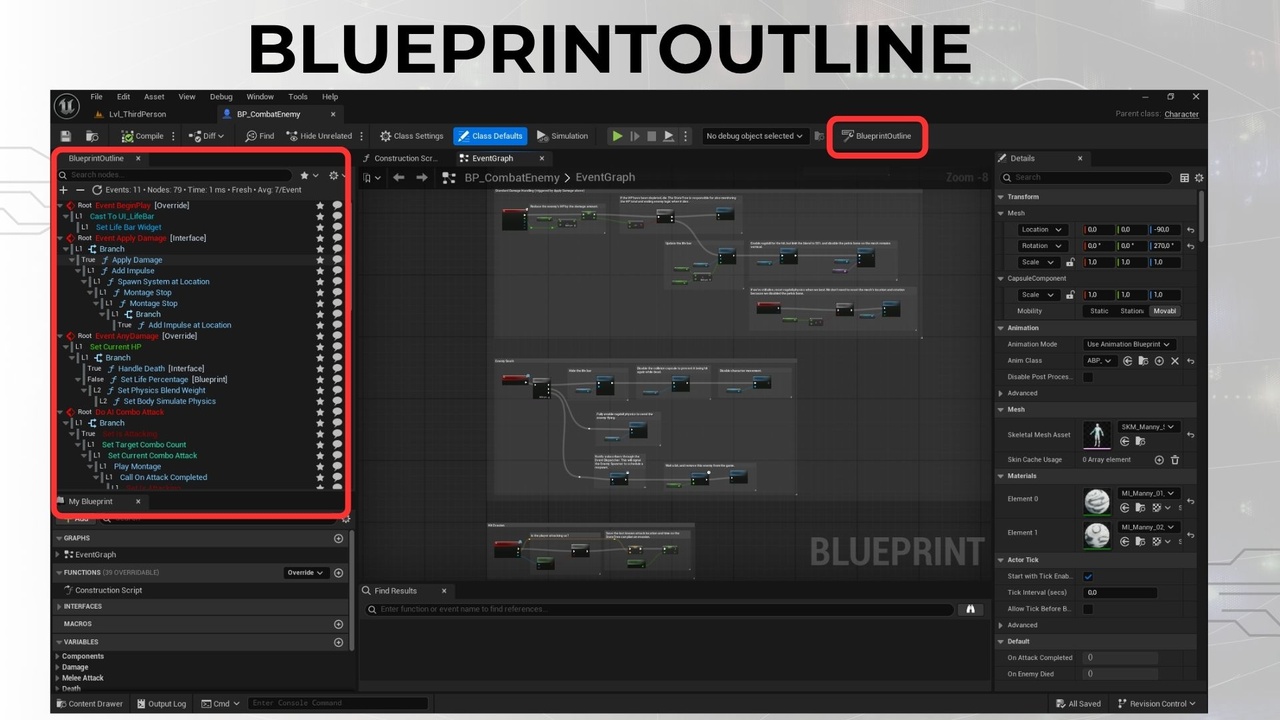
Blueprint Outline adds an interactive execution tree to Unreal Editor. Find a node, follow its connections, and turn selected logic into readable notes while working alongside the Blueprint graph.
Find the node you need
Browse events, functions, macros, branches and sequences in a tree. Search by name, filter by node type, and double-click an item to focus its node in the graph. Use bookmarks to return to important parts of your Blueprint.
Understand what connects to a node
Dependency Explorer helps you inspect the logic around a selection. Use Fed by to examine input expressions and Feeds into to see downstream consumers. Explore calls, overrides, interfaces and cross-references, then navigate from supported entries to the relevant node or asset.
Turn Blueprint logic into project notes
Copy or export readable documentation as Markdown or plain text, including inline pin values. Capture an event or subtree for a code review, project handoff or your own technical notes, then add the context that explains your project.
More tools for everyday Blueprint work
Automatic expansion of macros and collapsed graphs.
Smart Flow Lanes for branch, sequence and switch paths.
Node-type filters, color-coded entries and keyboard shortcuts.
Custom Event renaming and node comments from the outline.
Selection sync with the Blueprint graph and refresh on compilation.
A separate outline panel for each open Blueprint Editor window.
Per-Blueprint caching to reuse analysis when available.
Getting started
Install the package for your engine version, enable Blueprint Outline in Edit > Plugins, and restart the editor if prompted. Open a Blueprint and use the toolbar or Window menu to open the panel.
This is an editor tool with no gameplay runtime module. Check Included formats for the available engine versions and platform information.
Documentation and support