




Description
📘 Documentation | 🚥 Mega Lights Showcase | 🎬 Showcase | ▶️ Demo Room Tutorial | 🎓 Mini Tutorial Series | 🟣 Discord Community
✅ 100% Blueprint-Based. Works with Unreal Engine's Native Lights.
Stop Micromanaging Your Lights
Every lighting adjustment shouldn't start with finding the lights.
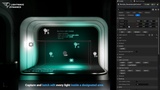
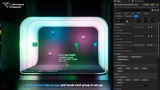
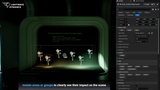
Control hundreds of lights from a single controller. Capture lights inside an area, build custom groups, control lights by type, edit Light Components inside Blueprint Actors or create smooth lighting Gradients. No more hunting them down every time you want to make an adjustment.
Animate Hundreds of Lights from One Track
Keep your Sequencer clean. Keep your workflow fast.
Instead of keyframing dozens of individual light tracks, Sequencer Compatible controllers let you animate an entire lighting setup from a single actor. Keep your Sequencer organized, simplify revisions and animate hundreds of registered lights through a single track.
🎬 See it in action: The lighting animation for the Haas F1 2026 Car Reveal was made with Lightwave Dynamics using this workflow.
Works with Your Existing Lights
No conversion. No replacement. No starting over.
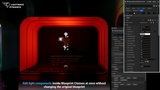
Lightwave Dynamics works directly with Unreal Engine's native Point, Spot and Rect Lights, including Light Components inside Blueprint Actors. Simply register the lights you already have and start editing. Your existing scenes, lighting setups and workflows remain exactly as they are.
Fast & Fearless Iteration with Save/Load System
Try bold ideas. Return with a click.
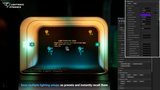
Lighting is an iterative process. Explore different moods, compare multiple looks and experiment without worrying about losing your previous work. Save lighting states, switch between them instantly, and keep refining until the scene feels just right.
Focus on What Matters
Evaluate your lighting without visual distractions.
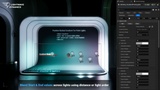
Temporarily isolate the lights you're working on to judge their contribution in context. Whether you're balancing a room, refining a hero shot, or debugging a lighting setup, Isolation helps you make confident decisions without interference from the rest of the scene.
Create Beautiful Light Transitions
Turn repetitive lighting into smooth, natural variation.
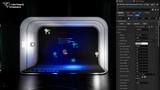
Not every light should look the same. Gradient Controllers let you distribute supported properties across your lighting to create depth, direction, visual rhythm, and more natural looking environments in just a few clicks.
Perfect For Every Lighting Workflow
🎨 Environment Artists
Iterate on the mood of entire environments without repeatedly selecting individual lights.🎬 Cinematic Artists
Animate complex lighting setups through organized Sequencer controllers instead of dozens of separate light tracks.📹 Virtual Production Teams
Make fast lighting adjustments on set and quickly explore different looks during production.🎮 Game Developers
Build lighting systems that are easier to manage throughout development, from editor workflows to runtime.🛠️ Technical Artists
Create organized, scalable lighting setups using area controls, groups, Blueprint Class Controls and automation-friendly workflows.🏛️ Archviz Artists
Compare lighting variations, save presets and refine interior or exterior lighting without repetitive editing.
Stop searching for lights through the Outliner. Stop dragging selection boxes across your scene. Stop reselecting the same lights every time you want to tweak a setting.
Spend your time refining the lighting, not selecting it.