
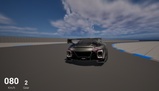
Description
A cinematic, profile-driven camera system for Unreal Engine 5, designed for any project that needs responsive camera control with smooth transitions, motion-based effects, and runtime flexibility.
It lets you define different camera behaviors as reusable data assets and switch between them at runtime, with optional blending, motion response, manual input offsets, stabilization, collision handling, and speed-triggered camera shake.
The plugin is especially suited for:
driving games
flight games
arcade racers
action games with multiple camera modes
gameplay requiring cinematic camera behavior
Features
Profile-based camera system built on UDataAsset
Each profile is an asset that stores the full configuration of a specific camera setup, making it easy to edit, duplicate, and migrate across projects.Runtime profile switching
Profiles can be changed at runtime through the API exposed by the component.Smooth profile blending with customizable duration and easing exponent
Camera profiles can smoothly transition using configurable blend timing and curve shaping.Fully configurable velocity-based and acceleration-based camera effects
The camera reacts to changes in velocity and acceleration across different axes to create cinematic motion and enhance gameplay feel.Manual camera control
The camera can be freely rotated on individual axes at runtime, allowing the player to inspect the surrounding scene when needed.Rear-view support with automatic reverse camera behavior
The camera can rotate 180 degrees either on demand or automatically based on the pawn’s movement, making it ideal for vehicles driving in reverse.Spring arm collision support
Built-in spring arm collision handling helps prevent camera clipping against world geometry.Optional runtime stabilizer
Allows camera motion to be stabilized independently on individual position and rotation axes. This is especially useful when following pawns moving over unstable terrain or under strong vibration.Speed-based or on-demand camera shake
Camera shake effects created with Sequencer-compatible shake assets can be triggered either automatically or manually. Useful for hard landings, impacts, and increasing action intensity.Blueprint-friendly API
Core functionality is exposed through Blueprint-ready APIs for easy integration in gameplay logic.Movement-system agnostic
This plugin does not drive or replace your vehicle, pawn, or movement system. It only reads the owning actor’s motion and uses that data to update the camera. This makes it compatible with different gameplay setups, including Chaos Vehicles, custom pawn movement, physics-driven actors, and third-party vehicle or movement plugins.
For example, it can be used alongside vehicle systems such as Chaos Vehicles or third-party vehicle plugins such as R-Tune or FGear.
Additional Notes
The plugin is developed entirely in C++ for performance and reliability.
However, no C++ knowledge is required to use it, since all the core functionality needed for setup and runtime control is exposed to Blueprint.
The runtime system is also designed to be efficient: it works by using a single camera rig in the scene, which is dynamically repositioned and manipulated according to the active profile configuration, rather than relying on multiple separate cameras.
Documentation
A detailed user manual is available here: [Documentation Link]
The documentation covers the full setup workflow, profile creation, component configuration, runtime Blueprint usage, available events and functions, and an in-depth explanation of each profile and component parameter.
If you want to understand exactly how Motion Camera works or how to tune the camera behavior for your project, the documentation is the best place to start.
Demo Build and Sample Project
You can download a Win64 playable demo build here: [Demo Build Link]
The demo is based on the Chaos Vehicle sample project and is intended to showcase the plugin features in a practical gameplay scenario.
You can also download the UE 5.4 sample project here: [Sample Project Link]
Please note that the sample project requires the plugin to be installed in order to run correctly.
The included test profiles were created to provide a ready-to-use starting point for the demo and sample project. They reflect a specific tuning style and a particular set of design choices, so they may not perfectly match the camera feel required by every project.
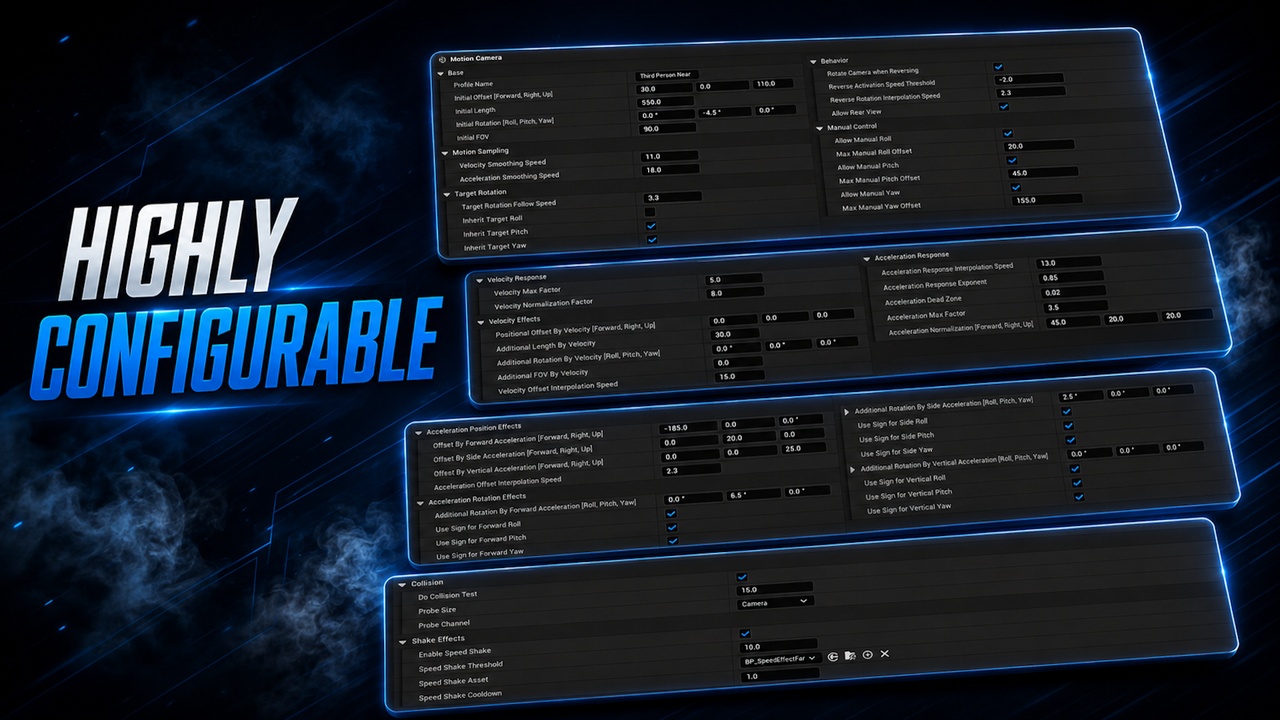
Fortunately, Motion Camera is designed to be highly customizable. Most aspects of the camera behavior can be adjusted through profiles, including base placement, rotation follow, velocity response, acceleration response, manual input, stabilization, collision, shake, and profile blending.
This makes the included profiles a practical reference rather than a fixed standard: you can duplicate them, modify them, or create completely new profiles to match the exact camera behavior you have in mind.
You can watch a short introductory video covering the plugin setup and core workflow here: [Showcase].
Please note that the video was recorded for the first version of the plugin. Although it is still relevant, some of the newer features are not shown.